
NEXORA CRM & SALES
Turn call outcomes into owned follow-ups.
Give sales and service teams a shared view of leads, opportunities, tasks and available conversation outcomes. See what was discussed, who owns the next step, and what is still open.
SALES PLAYBOOK
See how teams keep deals moving.
Switch between sales follow-up and the operational review that supports it.
Illustrative workflow
A promising enquiry reaches the right owner.
See how a lead goes from an initial question to a named person and a clear next step.
- The signal
A prospect asks for more information after a sales call.
- What Nexora does
The team records the intent, checks qualification and assigns a follow-up task. A qualified lead can move into the deal pipeline.
- What your team sees
The owner can review the lead history, open the opportunity and see the next action without asking another team to reconstruct it.
Illustrative workflow
An exception becomes something your team can act on.
Review how people can use workflow history to investigate a run and decide what should happen next.
- The signal
An outcome needs review or a workflow reaches a handoff step.
- What Nexora does
The workflow records the path it took. An authorized team member checks the context and any action that was recorded.
- What your team sees
The reviewer can find the relevant run, see which steps completed and decide who should handle the exception.
THE SALES MOTION
Move each lead forward with context.
Give your team a repeatable way to capture, qualify and follow up.
Capture the lead
Record contact details, lead source and owner. Review the information your team needs to qualify the opportunity.
Build the opportunity
Move qualified prospects into the deals pipeline and track progress across stages.
Follow up and close
Use tasks, appointments, proposals and activity history to make the next step clear.
TEAM VISIBILITY
Know what needs attention.
Sales and operations can review the same records according to their access.
Pipeline management
See stages, ownership and movement across open opportunities.
Customer history
Bring customer details, notes and related activity together for the next conversation.
Ownership and reporting
Assign work and review activity so teams can coordinate follow-up.
SALES TOOLKIT
What sales can do in Nexora.
Follow a deal across records, activity, business documents and management views.
Capture and qualify leads
Create a useful record before deciding whether to open an opportunity.
- Store contact details, source and owner
- Use notes and activity history to make qualification visible
- Carry context into the deal when the prospect is ready
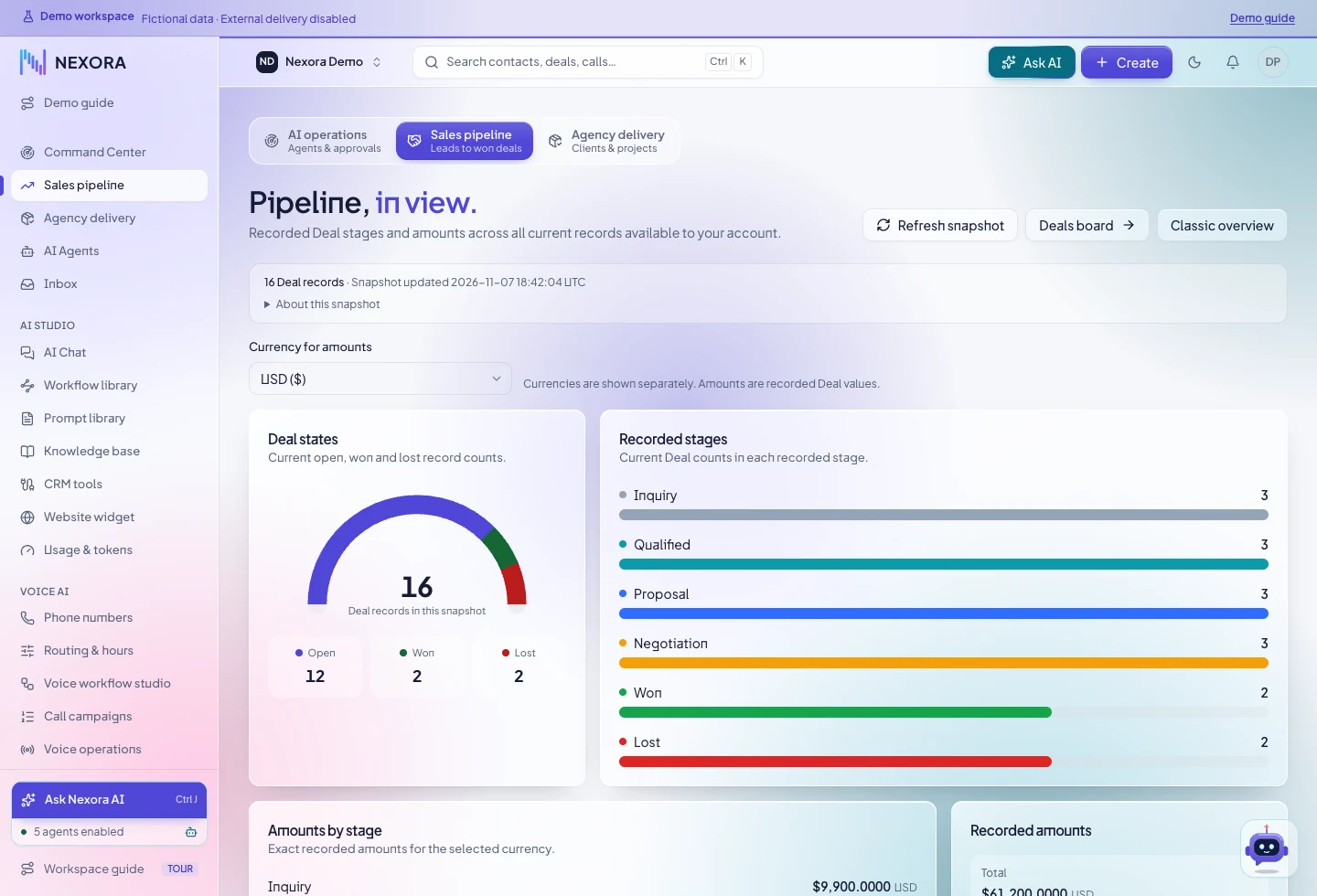
Review your pipeline
Check stage, owner and opportunity state across the deals you can access.
- Review open, won and lost counts
- See stage distribution and recorded values in the selected currency
- Review the individual deal behind a pipeline figure
Coordinate follow-up
Use tasks and appointments to turn intent into work people can see.
- Assign a specific next action to the appropriate owner
- Check scheduled commitments in the calendar
- Record relevant activity for the next conversation
Keep the commercial record together
Use the sales workspace to manage documents and financial records tied to a relationship.
- Prepare estimates and proposals
- Manage contracts and invoices
- Review recorded payments or expenses in the relevant workspace
SALES QUESTIONS
What can we show your team?
Ask for the exact part of the pipeline your team handles.
Can we review what managers see compared with sales staff?
Yes. Ask to walk through the same process as an owner and a manager. What each person can see depends on the workspace permissions.
Can we see where an opportunity amount comes from?
In a demo, open the related deal and review its recorded value, currency and stage. This helps your team interpret the pipeline totals.
Can we plan a move from spreadsheets or another system?
Bring a list of record types, ownership rules and sample field names. We can use those to discuss the migration scope and validation steps.
NEXT STEP
Walk through your sales process.
Tell us how leads reach your team and where follow-up tends to get stuck.