
WORKFLOWS BUILT AROUND YOUR POLICIES
Set the rules for what happens next.
Choose the events, conditions and actions that fit your process. Simulate a flow, review run history, and give exceptions to the people responsible for the decision.
INTERACTIVE WORKFLOW
Choose a trigger and follow the result.
Explore two examples of how a workflow can pass work to a person or make an exception visible.
Illustrative workflow
A caller gets a clear route to help.
Walk through an example where a voice agent captures intent and the configured workflow passes context to a person.
Illustrative journey. No call is placed.
- The signal
A caller reaches the business number and asks for a callback.
- What Nexora does
The configured voice agent collects the request. The workflow can route an eligible outcome to a task or human handoff.
- What your team sees
An owner can review the conversation outcome and the assigned follow-up. Call routing and available details depend on the connected provider.
Illustrative workflow
An exception becomes something your team can act on.
Review how people can use workflow history to investigate a run and decide what should happen next.
- The signal
An outcome needs review or a workflow reaches a handoff step.
- What Nexora does
The workflow records the path it took. An authorized team member checks the context and any action that was recorded.
- What your team sees
The reviewer can find the relevant run, see which steps completed and decide who should handle the exception.
BUILD AND REVIEW
Design the flow from trigger to outcome.
Use Workflow Studio to shape what happens and inspect the result.
Choose a trigger
Start with a supported event or a controlled run for the customer record you want to work with.
Define steps and decisions
Set conditions and actions, such as assigning a task, following up or handing work to a person.
Simulate and inspect
Review the intended path before using a published workflow in the appropriate environment.
WORKFLOW STUDIO
Follow the decision path.
The canvas connects each condition with the action your team wants to take.
OPERATING CONTROLS
Make automation reviewable.
Teams can see the steps and outcome of their configured workflows.
Visual workflow builder
Arrange actions and decision paths so teams can understand and update the process.
Human handoff
Route exceptions and judgment calls to a person with the context they need.
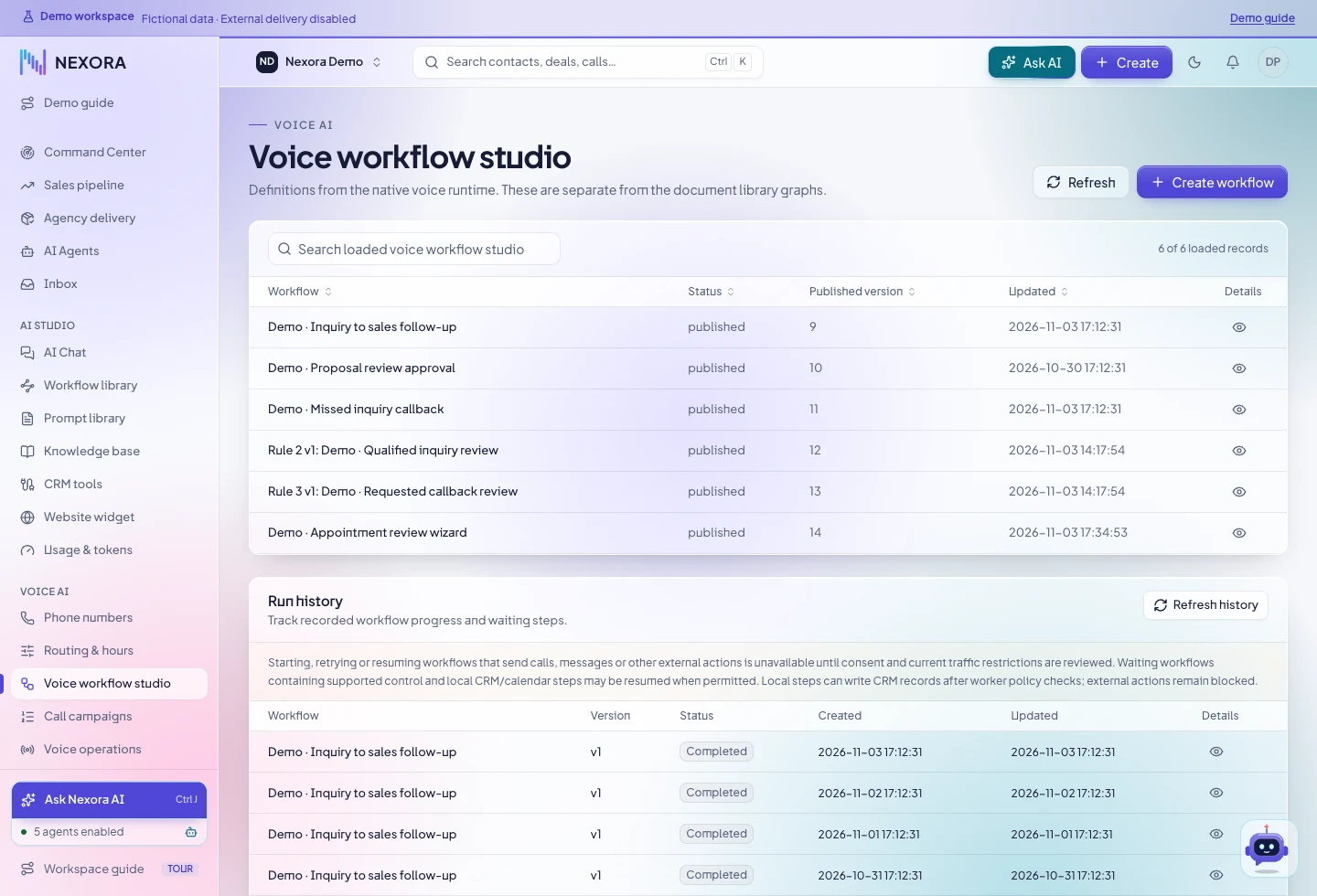
Run history
Inspect run status and steps when a workflow needs review.
WORKFLOW QUESTIONS
Understand the controls.
Use the demo to review permissions and how actions are enabled.
Can my team approve an automation before it acts?
Workflows support simulation and review. The correct controls depend on the action, the channel and the permissions in your workspace.
WORKFLOW TOOLKIT
What teams can build and review.
Design around what starts the work, which rules apply and who can act on an exception.
Triggers and context
Start with a supported event and pass the fields the workflow needs.
- Choose the relevant call, lead or other supported event
- Define which record supplies the context
- Confirm that the event is bound to the intended workflow
Decisions and actions
Set conditions that decide which path the work should take.
- Evaluate the result or a record field
- Use supported CRM actions such as a task or handoff
- Review provider-dependent actions as part of the rollout
Simulation and versions
Understand what a workflow is designed to do before live execution.
- Run a simulation with sample inputs
- Review the intended path and next action
- Choose when the approved version is appropriate to use
History and exceptions
Find what happened when the expected outcome needs review.
- Open run history and review individual steps
- Check which actions completed and which need attention
- Put a person in charge of the exception path
NEXT STEP
Map your first workflow.
Bring one repeatable process that starts with a conversation or a CRM event.