
CRM + AI VOICE + WORKFLOWS
One workspace for customer operations.
Connect customer records, calls, messages and the work that follows. Give sales, service and operations the context they need, with access based on each person’s role.
CORE CAPABILITIES
Explore the platform.
Start with the area your team needs most.
CRM & sales
Track leads, qualify opportunities, assign owners and see where deals are moving.
Explore CRMAI voice & messaging
Give calls and messages a place in the customer record so teams can review conversations and follow up.
Explore voiceWorkflow automation
Define what happens when a call ends, a lead moves or a person needs to take over.
Explore workflowsWork & scheduling
Connect customer commitments with appointments, tasks and calendar views.
Explore the platformSupport & knowledge
Track tickets and maintain knowledge that your support team can use to answer common questions.
Explore use casesReporting & oversight
Review pipeline activity, call outcomes and workflow history with access suited to your role.
Explore the platformBUSINESS OPERATIONS
Manage the work behind each relationship.
Teams can find related sales, delivery and support activities from the workspace.
Sales and finance
Manage proposals, estimates, invoices, contracts, payments and expenses in the business workspace.
Projects and tasks
Organize delivery work and assign follow-up tasks as responsibilities change.
Service and support
Manage tickets, refer to knowledge and give customer requests a clear owner.
WORKSPACE MAP
See what each part of the platform does.
Explore what your teams can review, update and hand off across the customer lifecycle.
Lead and opportunity management
Give sales a common record for enquiries, qualification and follow-up.
- Capture lead details, sources, notes and ownership
- Review stage changes and work associated with an opportunity
Voice and messaging operations
Configure eligible channels and review available conversation activity.
- Manage agents and supported phone routes
- Review outcomes and available transcripts
- Plan approved SMS and WhatsApp senders
Business documents and finance
Follow the commercial work connected to a customer.
- Manage estimates, proposals, contracts and invoices
- Review recorded payments and expenses in the appropriate workspace
Work, service and planning
Give support and operations a place to manage the next piece of work.
- Assign tasks and coordinate projects
- Manage service tickets and internal knowledge
- Review appointments and relevant calendar events
Automation and handoffs
Define what should happen when a supported event occurs.
- Build conditions, actions and handoffs in Workflow Studio
- Review simulations, run history and the people who can act
Reporting and management
Review recorded activity and the work still waiting for attention.
- Review deal stage, state and recorded amounts
- Inspect call and workflow outcomes where data is available
- Choose reports and exports appropriate to the workflow
MAKE IT YOURS
Explore the workspace by example.
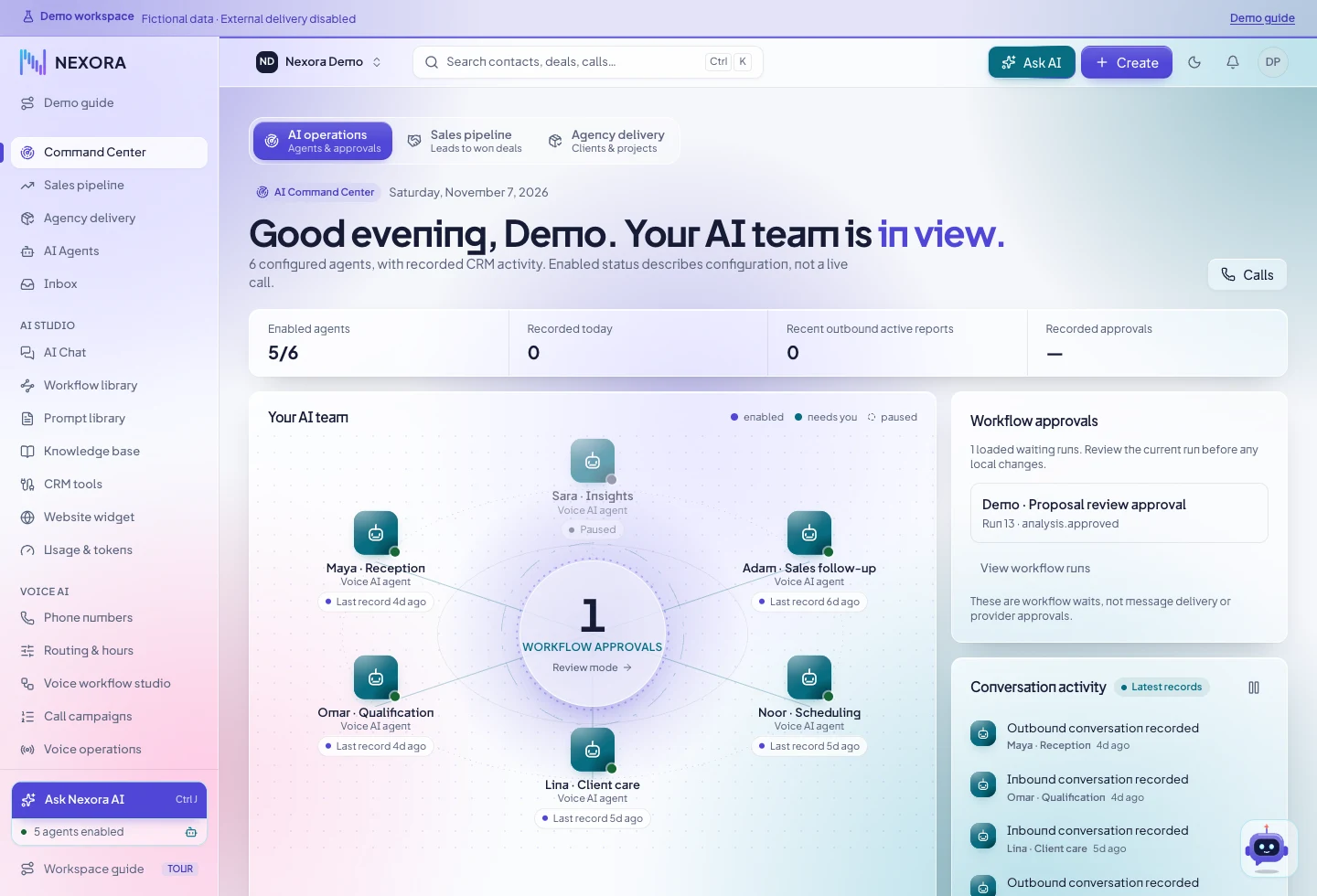
Open actual product screens and follow a sample process from the first signal to the next action.
NEXT STEP
Get a guided walkthrough.
We can review the product areas relevant to your teams and how your current process would fit.